Rapidly set up a new app build with Canva, VS Code, and Claude
The exact workflow — idea → brand assets → VS Code → Claude Code — used to go from concept to a running production build in under an hour.
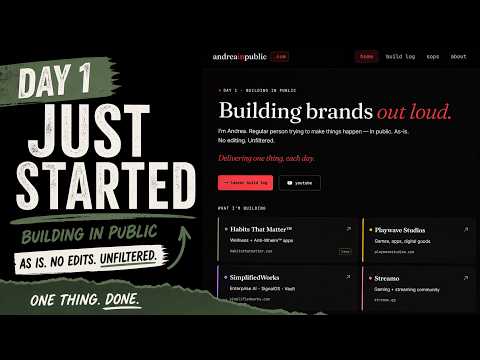 Watch the setup on YouTube
What this SOP covers
The end-to-end move from a raw idea to a running prototype in under an hour, using only Canva, VS Code, and Claude Code. Built on the SSME™ frame — simple, scalable, minimal, effective — so nothing in the stack is fancier than it needs to be.
You need: Canva, VS Code, Claude Code, a GitHub account, a Vercel account. All free or cheap. All one-time setups.
The loop (five moves)
- Sketch the idea in Canva — one frame, not a design system
- Screenshot → Claude.ai artifact — get a working React prototype
- Open VS Code + Claude Code — point it at an empty folder
- Paste the build prompt — Claude Code scaffolds the Next.js project
- Ship — push to GitHub, connect Vercel, go live
Step 1 — Sketch in Canva
One frame. Not a full design. The sketch exists to answer three questions:
- What's the main font?
- What's the accent color?
- What's the first thing a visitor sees?
If you can't answer those three from the sketch, you don't have a site yet. Stay in Canva until you do.
Step 2 — Screenshot to Claude artifact
Open a new Claude.ai chat. Upload the screenshot. Prompt:
Turn this into a React artifact using Tailwind. Dark mode. Responsive. Match the fonts and color as close as you can. Keep it to one page.
Claude returns a running artifact. Click through it. If it's close, save the JSX. If it's not, iterate right there in Claude.ai — artifacts are cheap to regenerate.
Step 3 — Open VS Code + Claude Code
mkdir my-project
cd my-project
code .
Open the integrated terminal and start Claude Code:
claude
Step 4 — Paste the build prompt
Hand Claude Code the artifact and tell it what kind of project to build around it. The prompt shape:
Build me a production Next.js site based on the attached artifact.
- Next.js 14 App Router, TypeScript, Tailwind
- Deploy target: Vercel
- [any routes you need]
- [any content system you want — MDX, CMS, none]

Start by scaffolding the app, then build the layout + home page first
so I can verify it matches.
Verify one route at a time. Don't let Claude Code scaffold all of them at once — if it drifts from the artifact, you want to catch it on the home page, not on page six.
Step 5 — Ship it
gh repo create my-project --private --source=. --push
vercel link
vercel --prod
Add your custom domain:
vercel domains add mydomain.com
Set the DNS records Vercel prints at your registrar. SSL auto-provisions.
What breaks (watch for these)
- Artifact drift. If Claude scaffolds all routes at once, it invents things. Verify the home page first, then let it build the next.
- "Let me add a CMS." Claude loves to add more. Say no unless you actually need it. SSME™ applies — minimal wins.
- Environment secrets. If the site needs API keys, set them in Vercel
before deploying. Never commit
.env.local. - Deployment Protection on Vercel teams. The canonical
[project].vercel.appURL is public, but the hash URLs are gated unless you turn off protection in project settings.
After you've shipped
Record a Loom of yourself using this SOP on a fresh project. That Loom becomes the next revision. Every Loom → every SOP · in public.